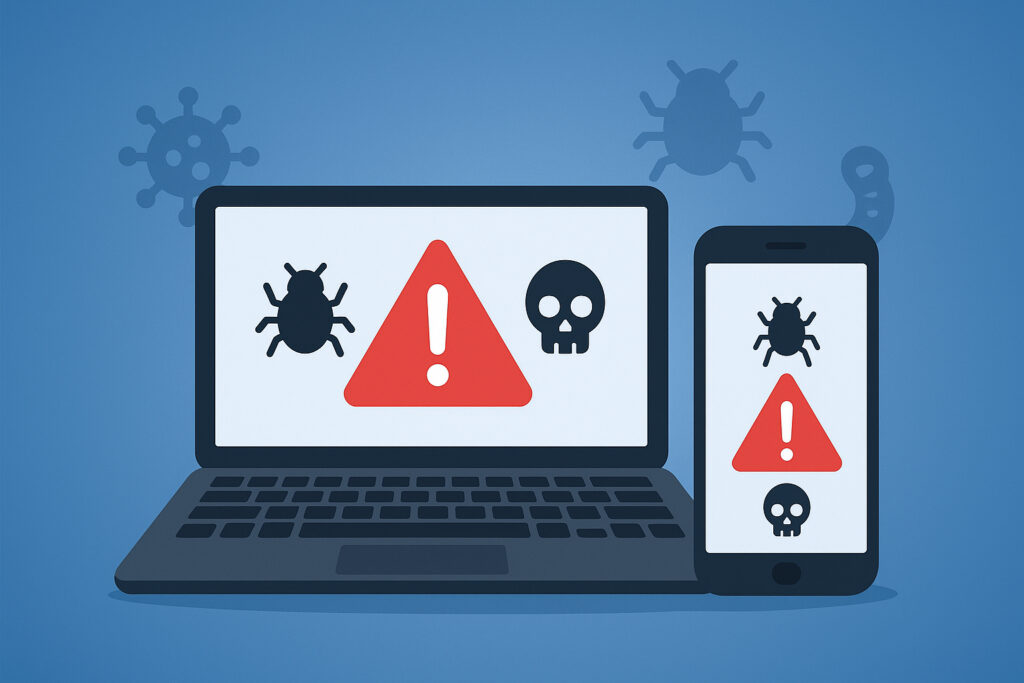
If you manage IT security for a company — or even just worry about your own devices — understanding the common malware types targeting laptops and smartphones is no longer optional. Every week, security teams discover new campaigns aimed at endpoints, from ransomware locking down entire fleets of company laptops to mobile trojans quietly siphoning banking credentials. Knowing what you’re up against helps you prioritize defenses and respond faster when something slips through.
This article breaks down the major malware categories hitting laptops and mobile devices right now, explains how each one operates in practice, and gives you concrete steps to reduce your exposure.
Ransomware: Still the Biggest Headache
Ransomware encrypts files on a device and demands payment — usually in cryptocurrency — before handing back the decryption key. On laptops, the typical infection vector is a phishing email with a weaponized attachment or a drive-by download from a compromised website. What makes ransomware devastating in an office environment is lateral movement: once one machine is hit, the malware can crawl across shared drives and connected devices within minutes.
Mobile ransomware is less widespread but growing steadily, especially on Android. Attackers distribute it through sideloaded apps outside the official Play Store. Some variants don’t even bother encrypting — they simply lock the screen and threaten to publish personal data unless the victim pays. The amounts are usually small enough that people pay without thinking, which keeps the business model alive.
A common myth here: “We have backups, so ransomware isn’t a real threat.” Backups help with recovery, but they don’t prevent the operational downtime, the forensic investigation costs, or the reputational damage when ransomware hits employee devices across your organization.
Spyware and Keyloggers: Months Before Anyone Notices
Spyware sits quietly on a device, recording activity and sending it to an attacker-controlled server. Keyloggers — a subset of spyware — capture every keystroke, which means passwords, credit card numbers, internal chat messages, and anything else typed on that device.
On laptops, keyloggers often arrive bundled with pirated software or through browser exploits. They’re designed to be invisible. I’ve seen environments where a keylogger ran undetected for over four months, harvesting credentials for dozens of internal systems before anyone noticed unusual login patterns.
On smartphones, spyware can access far more than keystrokes: camera, microphone, GPS location, call logs, and message history. Some of these apps masquerade as utility tools — flashlights, QR readers, battery optimizers — and request permissions that users grant without a second thought. Once installed, they operate in the background with minimal battery or performance impact, making detection difficult without dedicated endpoint monitoring.
Trojans: The Credential Thieves
Trojans disguise themselves as legitimate software. On a laptop, the payload might look like a browser update, a cracked version of a paid tool, or even a fake installer for a real application. Once running, the trojan can open a backdoor for remote access, exfiltrate data, or enroll the device in a botnet.
Mobile banking trojans are especially dangerous. They overlay fake login screens on top of real banking apps, capturing credentials in real time. The more advanced variants intercept SMS-based two-factor authentication codes, which effectively defeats the most common second layer of protection businesses and consumers rely on. This is why understanding the difference between endpoint protection and basic antivirus matters — traditional antivirus often misses these overlay attacks entirely.
Adware and Browser Hijackers: The Gateway Problem
Adware floods your screen with unwanted ads and redirects. Browser hijackers change your homepage, default search engine, and inject tracking scripts into your browsing sessions. Individually, these aren’t catastrophic. But they degrade device performance, erode user trust, and — critically — they often serve as a delivery mechanism for more dangerous payloads.
On mobile, adware is frequently bundled into free apps. Users tolerate the ads as the “price” of a free tool, not realizing the app is also collecting device identifiers, contact lists, and browsing history. For a company managing dozens or hundreds of employee devices, even minor adware infections create data leak exposure that’s hard to quantify until it’s too late.
Crypto-Mining Malware: The Slow Burn
Crypto-mining malware hijacks a device’s CPU or GPU to mine cryptocurrency for the attacker. The symptoms are subtle: the laptop runs hotter, the fan spins louder, battery life drops on mobile devices. Because there’s no ransom note and no obvious data theft, this type of malware can run for weeks or months without raising alarms.
The real cost isn’t just electricity. Sustained high temperatures degrade hardware over time, shortening device lifespan. In a fleet of 50 company laptops, even a handful of infected machines can add up to significant hardware replacement costs — a line item most IT budgets don’t anticipate.
Practical Steps to Reduce Your Attack Surface
No single measure eliminates malware risk, but layered defenses make a real difference. Start with the basics: keep operating systems and applications patched. Many successful malware campaigns exploit vulnerabilities that have had patches available for months. Automated security updates remove the human delay from the equation.
Enforce app installation policies — restrict sideloading on mobile devices and limit admin rights on laptops. Train employees to recognize phishing, but don’t rely on training alone. Deploy endpoint protection that provides real-time behavioral analysis, not just signature-based scanning. And critically, ensure all devices — including personal phones used for work — are covered under your security policy.
For organizations that want visibility into whether compromised credentials from their endpoints are already circulating, continuous monitoring is essential. A stolen password from a keylogger infection three months ago might surface in a credential dump tomorrow, and knowing about it quickly is the difference between a contained incident and a full breach. Learning how to secure employee laptops and mobile devices end-to-end is where most teams should begin.
FAQ
What is the most common malware type on smartphones?
Trojans — particularly banking trojans — are the most prevalent malware category on mobile devices. They’re distributed through fake apps, malicious links, and compromised websites. Adware is more common by volume, but trojans cause the most financial damage.
Can malware spread from a smartphone to a laptop?
Yes, though it’s less common than device-to-device spread within the same platform. A compromised phone connected via USB can transfer malicious files, and shared cloud storage accounts can serve as a bridge between mobile and desktop infections.
Is antivirus software enough to protect against modern malware?
Traditional antivirus that relies only on signature matching misses a significant portion of modern threats, especially zero-day exploits and fileless malware. Endpoint protection platforms that include behavioral analysis, real-time monitoring, and automated response are considerably more effective.
The malware landscape shifts constantly, but the fundamental principle hasn’t changed: attackers go where the data is. Right now, that means your laptops and smartphones. Investing in layered endpoint security and continuous threat monitoring isn’t a luxury — it’s the minimum viable defense for any organization that takes data protection seriously.