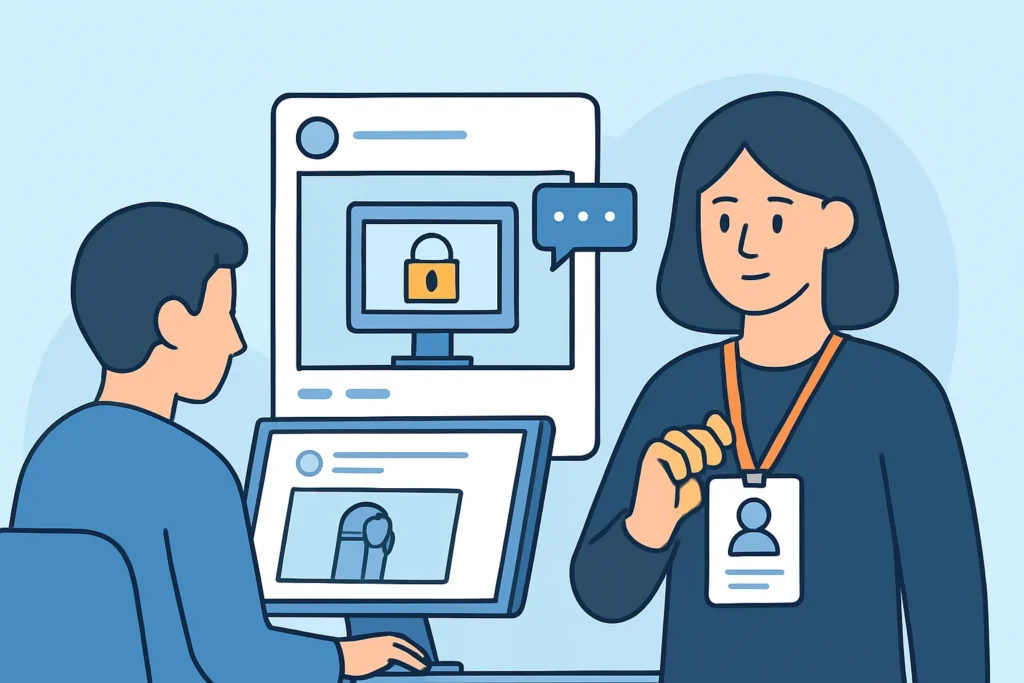
A single photo of a new employee’s badge on LinkedIn can give an attacker more than a week of reconnaissance would. This article covers how photos of office screens and badges leak sensitive data through social posts, what attackers actually take from those images, and how security and IT teams can find and contain the exposure before someone uses it. The intended reader is the person who gets the call when a marketing post goes live with a password visible on a monitor in the background.
What Attackers Pull From an Ordinary Office Photo
The classic case is the sticky note on a monitor. In April 2015, French broadcaster TV5Monde was filmed for a news segment after a major cyberattack, and passwords were visible on notes in the background of the footage. In January 2018, after the false missile alert in Hawaii, a widely circulated press photo showed an emergency management employee’s password on a note stuck to a screen. Neither image was taken by an attacker. Both were published on purpose by people who never looked at the background.
Screens are only one part of it. A typical “celebrating the team” post can show an internal URL in the browser bar, a Jira board with project codenames, a Slack sidebar listing private channel names, an Outlook calendar with client meetings, or a whiteboard covered in network diagrams. Each detail might seem harmless. Put together, they give an attacker vocabulary, names and structure for a convincing pretext.
Badges are worse because they connect the digital and physical sides. A clear badge photo shows the card design, logo placement, lanyard color, photo layout and sometimes the employee ID number. On older 125 kHz proximity cards such as HID ProxCard II, a printed card number can be enough to help clone a credential with off-the-shelf hardware like a Proxmark3. Even when nothing is printed, a faithful visual copy is often enough to tailgate past a busy reception desk.
Where Screen and Badge Photos Actually Surface
LinkedIn is the biggest source. “Day one at the new job” posts with the welcome badge held up to the camera show up every week, and the #newjob and #firstday hashtags make them easy to search. Instagram stories from office parties come next, followed by recruitment videos on TikTok and YouTube where the camera walks through the open-plan floor.
Video calls make up a quieter category. Screenshots of Zoom or Microsoft Teams meetings posted to celebrate a project launch often catch someone’s shared screen or a whiteboard behind a remote worker. Since hybrid work became the norm, the “office” includes kitchens and home studies, and home setups tend to have more sticky notes, not fewer. The wider pattern is covered in social media data leaks as a corporate security risk.
The Myth That Low-Resolution Photos Are Safe
A common belief is that a blurry or distant shot can’t leak anything readable. That was roughly true in 2012. It isn’t now. Current phones shoot 12-50 megapixel images, and platforms like LinkedIn keep enough resolution that zooming into a monitor in the corner often shows readable text. AI upscaling tools can sharpen partly legible characters, and attackers don’t need perfect recovery. Three readable characters of a password plus a known company pattern like “Season+Year!” shrinks the search space a lot.
Metadata is a related misconception. Facebook, Instagram and LinkedIn strip most EXIF data, GPS coordinates included, on upload. Files sent as attachments by email, as documents in Telegram, or posted to some smaller forums and personal blogs often keep it. “The platform removes metadata” holds only for specific platforms and specific upload methods.
A Realistic Scenario: The Launch-Day Post
Picture a 200-person SaaS company shipping a major release on a Thursday. At 4 p.m. the marketing team posts a photo of the engineering team cheering in front of a wall of monitors. One screen shows the Grafana dashboard with internal hostnames. Another shows a terminal session with part of a database connection string.
The post gets 2,000 impressions in the first 6 hours. By the time someone in security notices it on Monday morning, it has been reshared 40 times and screenshotted by at least one account that has nothing to do with the company. Deleting the original doesn’t remove the copies. The right response is to treat the connection string as compromised, rotate it within hours, and check database access logs back to Thursday afternoon. Discussing whether the post “really” exposed anything comes later.
How to Detect and Respond to Exposed Office Photos
An experienced security lead starts by treating any confirmed exposure as an incident, not a PR problem. The steps that work in practice:
1. Capture the evidence – save the full-resolution image, the post URL, a timestamp and the reshare count before asking anyone to delete it.
2. Inventory what is visible – zoom into every screen, badge, whiteboard and document, and list each credential, hostname, name or ID number.
3. Rotate and revoke first – reset any visible password, rotate keys or connection strings, and reissue any badge whose number is readable.
4. Remove and request takedowns – delete the original, then ask platforms and resharers to remove copies.
5. Watch for follow-on activity – look for login attempts, phishing that uses the leaked names or codenames, and look-alike badges at reception.
For badges in particular, check whether the card technology can be cloned. Organizations still on 125 kHz prox should treat a readable card number as a physical access incident. Sites on HID iCLASS SE or Seos, or MIFARE DESFire EV2/EV3, face less cloning risk, though the visual-copy problem is still there.
Common Mistakes Security Teams Make
The first mistake is acting only after a public incident. Teams write a “no badges in photos” rule after a scare and never check whether anyone follows it. A quarterly search of LinkedIn and Instagram for the company name plus “first day” usually finds new examples within minutes.
The second is fixing the photo and leaving the secret alone. Deleting the post feels like closure, but if a password was readable for 72 hours, it has to be treated as leaked. The same logic applies when an employee’s corporate email or password turns up anywhere public.
The third is training people on the wrong thing. “Don’t post confidential information” is too abstract. A 30-second check works better: before posting, look at every screen, the lanyard, the whiteboard and the desk. Concrete habits like this belong in regular employee training against data leaks.
When the Standard Advice Doesn’t Fit
Defense contractors and organizations with secure compartmented facilities usually ban phones from sensitive areas entirely, so their risk sits in lobbies, parking lots and offsite events instead. Teams under 10 people rarely have badges at all. Their bigger exposure is home office photos and screen shares from founders who post often. Companies in markets where WeChat, VK or LINE dominate need monitoring that covers those platforms, because LinkedIn-focused searches will miss most of the exposure. Org-level details in photos also feed the reconnaissance described in how threat actors use leaked org charts to plan attacks.
FAQ
Can someone really clone a badge from a photo?
A photo alone can’t copy the RFID data, but a readable card number on a 125 kHz prox card can be enough to program a working clone. Any badge photo also allows a convincing visual fake for tailgating.
Should employees be banned from posting office photos?
A full ban rarely holds and hurts recruiting. Designated photo areas with no screens, badges kept out of shots, and a pre-post check for marketing content work better.
How quickly should we respond to an exposed screen photo?
Rotate any visible credential within 1-4 hours of discovery, then review access logs back to when the photo was first published.
Make the Background Part of Every Post Review
Office photos leak passwords, hostnames, project names and badge details because nobody checks the background. Treat a confirmed exposure as an incident: capture the evidence, rotate whatever was visible, and assume copies exist. Add one step to every social media approval: zoom into the corners of the image before anyone presses publish.