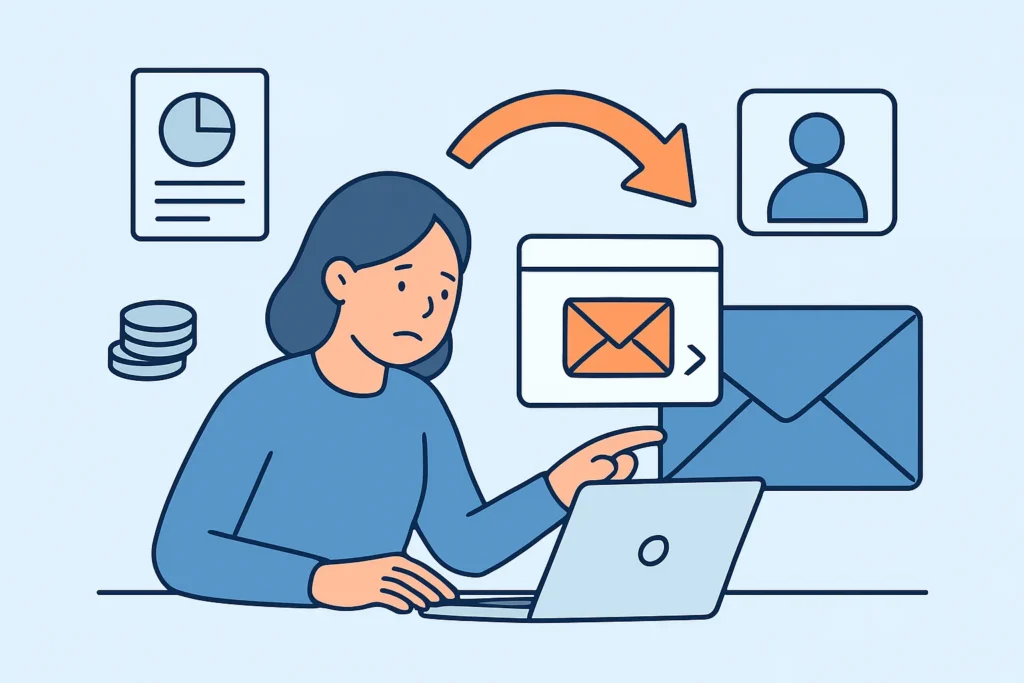
Personal email forwarding is one of the most common ways corporate data leaves an organization, and it almost never looks like an attack. An employee sets up a rule to send work mail to a personal Gmail or Outlook.com account so they can read it on a phone, finish a proposal at home, or keep contracts after a job change. This article covers how that happens, why it matters for data leak detection, how to find existing forwarding rules, and which controls work without stopping people from doing their jobs.
Why Forwarding Feels Harmless to Employees
Most people who forward work mail are not trying to steal anything. They want convenience. The company’s mobile device policy may be strict, the VPN is slow, or the laptop stays at the office. Forwarding to a personal inbox solves the problem in about 90 seconds.
The risk comes later. That personal inbox usually has a reused password, often no MFA, and sometimes a recovery phone number nobody has updated since 2017. Once corporate mail lands there, the organization has lost all control over retention, access logging, and deletion. No DLP policy reaches it and nobody gets a breach notification for it.
How Personal Email Forwarding Turns Into Exposed Data
The usual path looks like this. A finance coordinator creates an Outlook inbox rule in March that forwards everything from the ERP system to a personal Yahoo address. In September, their home PC picks up an infostealer from a cracked game download. The stealer log, holding saved browser passwords and session cookies, goes up for sale on a Telegram channel within days. An attacker buys it, logs into the Yahoo account, and finds six months of invoices, supplier bank details, and payment approval threads.
Nothing in the corporate environment was compromised. Microsoft 365 logs show no suspicious sign-ins. The leak comes to light only when a supplier calls to ask why their bank details “changed” or when the data turns up on a forum. That is why credential monitoring for corporate domains on its own misses this pattern: the leaked credentials belong to a personal account the security team doesn’t know about.
Departing employees are the second big source. Forwarding customer lists, pricing sheets, or source files to a personal address in the last two weeks of employment is so common that experienced HR and security teams treat it as an expected behavior to watch for. That is a good reason to build forwarding checks into employee offboarding rather than treating them as a separate project.
Myth: Blocking Auto-Forwarding Solves the Problem
Microsoft changed the default outbound spam policy in Exchange Online around 2020 so that automatic external forwarding is blocked under the “Automatic – System-controlled” setting. Google Workspace admins can disable it under Apps > Google Workspace > Gmail > End User Access. Many teams flip these switches and consider the issue closed.
It is not closed. Blocking automatic forwarding does nothing about manual forwarding, where a user selects 40 messages and clicks Forward. It doesn’t stop someone from attaching files to a new message, syncing a corporate mailbox into a personal mail app through IMAP, or using the Outlook “Download attachments” option on an unmanaged device. Auto-forward blocking takes care of the silent, ongoing leak. Deliberate or ad-hoc forwarding still needs DLP rules and monitoring.
Finding Forwarding Rules That Already Exist
Before changing policy, find out what is already in place. A seasoned M365 administrator starts with an inventory, because some forwarding rules predate the current security team by years. In Exchange Online PowerShell, the checks follow a predictable order:
1. Mailbox-level forwarding. Run Get-Mailbox -ResultSize Unlimited and filter for non-empty ForwardingSmtpAddress or ForwardingAddress values. Admins often set these during migrations and then forget them.
2. Inbox rules. Loop through mailboxes with Get-InboxRule and flag any rule with ForwardTo, ForwardAsAttachmentTo, or RedirectTo pointing outside your accepted domains.
3. Transport rules. Check Get-TransportRule for anything that BCCs or redirects mail externally. These are rare, but they hit every user.
4. Audit history. Search the unified audit log for New-InboxRule and Set-InboxRule events from the last 90 days, so you catch rules that were created and then removed.
5. Message trace. Pull outbound volume per user to consumer domains such as gmail.com, outlook.com, icloud.com, and yahoo.com over 30 days.
In a 500-person tenant, a first sweep typically turns up 5-20 external forwarding rules. A few will be legitimate, such as a shared mailbox feeding a ticketing system. Some will belong to people who left the company years ago. Treat any rule created right after an unusual sign-in as a possible business email compromise, because attackers create the same kind of rules to hide their activity.
Common Mistakes Security Teams Make
Deleting rules without talking to the user. If a field engineer forwards mail because the managed mobile app doesn’t work on their device, removing the rule just pushes them to a worse workaround, such as screenshots or WhatsApp. Fix the access problem first and remove the rule second.
Treating the personal account as out of scope. If corporate data sat in a personal inbox that has now been breached, that is still sensitive data exposure. Under GDPR, the controller remains responsible for personal data it processes, wherever an employee has copied it. The 72-hour clock under Article 33 can apply. The GDPR requirements for leak monitoring cover this in more detail.
Watching only corporate addresses in breach data. Dark web monitoring and threat intelligence feeds that match only @company.com addresses miss the main risk here. When an investigation turns up a personal forwarding address, add it to the watchlist for that case, with the employee’s consent and HR involved.
Exceptions and Edge Cases
Teams under 10 people often have no Exchange or Workspace admin at all. Staff may run business mail through personal Gmail accounts from the start. In that case forwarding rules aren’t the real issue. The fix is moving to a managed tenant, which costs roughly $6-12 per user per month for basic Microsoft 365 or Google Workspace plans.
Regulated firms face stricter rules. Broker-dealers under SEC Rule 17a-4 and FINRA recordkeeping requirements can’t let business communications leave archived systems, and the SEC’s off-channel communications enforcement since 2021 has produced very large fines. Healthcare organizations forwarding PHI to personal accounts create a HIPAA issue the moment it happens, whether or not a breach follows. For both groups, outright blocking plus a documented exception process is the norm.
Some legitimate external forwarding does exist, such as feeds to SaaS ticketing or CRM systems. Those deserve their own scrutiny, because third-party SaaS breaches expose forwarded mail just as easily as a personal inbox does.
FAQ
Is forwarding work email to a personal account illegal?
Usually not by itself, but it can breach your employment contract, your company’s acceptable use policy, or sector rules such as HIPAA or FINRA recordkeeping. Under GDPR, it can amount to unauthorized processing of personal data.
How can I tell if an inbox rule was created by an attacker rather than the employee?
Correlate when the rule was created with sign-in logs. Rules with blank or single-character names, rules that move mail to RSS Feeds or Archive, and rules created from an unfamiliar IP or country strongly suggest compromise.
Should we monitor employees’ personal email addresses for leaks?
Only with a clear legal basis and the employee’s consent, and only for a specific case. In most jurisdictions, especially in the EU, blanket monitoring of personal accounts is disproportionate.
Summary: Close the Channel, Then Watch It
Personal email forwarding leaks data through convenience, not malice, so the fix has two parts. Give people a usable managed way to read mail on mobile and at home, and then block automatic external forwarding. Run the PowerShell inventory quarterly, add forwarding checks to offboarding, and treat any corporate data found in a breached personal account as your incident. Run that inventory first, because the rules you find will show you how big your problem is.