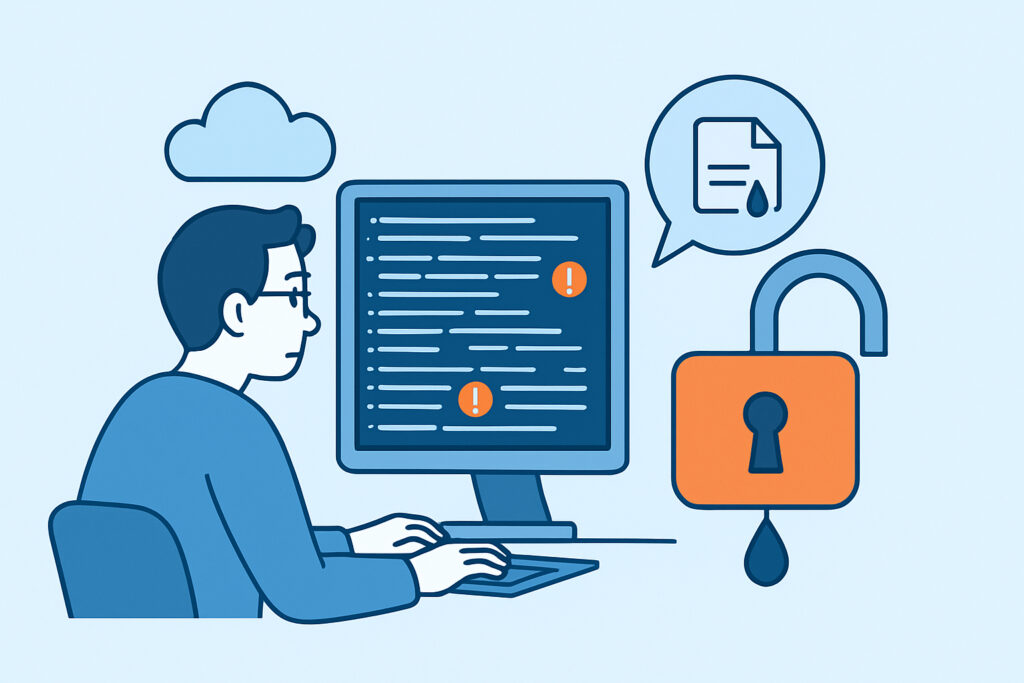
Continuous integration logs are one of the most underestimated sources of sensitive data exposure in modern development environments. Security teams spend considerable effort locking down repositories and scanning commits, but the build and test logs generated by CI/CD pipelines often receive almost no scrutiny – even when those logs are publicly accessible by default.
If your organization uses GitHub Actions, GitLab CI, CircleCI, Jenkins, or any similar platform, there is a realistic chance that credentials, tokens, or internal configuration details have already appeared in a log file that anyone with a browser can read.
Why CI Logs End Up Containing Sensitive Data
The core problem is that CI pipelines are designed for automation and debugging, not for secrecy. When a build fails, developers need to see what happened – and that means printing as much context as possible. That instinct creates a tension with security.
Several mechanisms cause sensitive data to end up in CI logs:
Verbose command output. Tools like curl, wget, npm, pip, and docker routinely print request headers, response bodies, or full connection strings in debug mode. A single –verbose flag passed during a failing build can dump an entire API response containing tokens.
Environment variable echoing. It is surprisingly common for developers to add temporary echo $SECRET_KEY statements to debug a build issue and then forget to remove them before merging. The log captures the value permanently.
Error stack traces. When a database connection fails, many frameworks include the full connection URI – username, password, and hostname – in the exception message. That stack trace then gets written to the log.
Third-party action outputs. In GitHub Actions workflows, community-contributed actions sometimes log more than expected. Developers rarely audit the output of every action they use, especially popular convenience wrappers.
As a result, CI logs can accumulate API keys, database credentials, internal hostnames, OAuth tokens, and even partial private key material over months of builds. Understanding how environment variables get exposed through developer mistakes helps explain why CI pipelines are particularly vulnerable – they are precisely the environment where those variables get injected and used.
The Public Visibility Problem
Many organizations do not realize that CI log visibility is often set to public by default, particularly on hosted platforms tied to public repositories.
On GitHub Actions, if a repository is public, build logs are public. Every run, every step, every line of output. The same applies to several other platforms. Even when a repository is private, log retention policies and permission structures are often misconfigured, allowing broader access than intended.
The practical implication: an attacker does not need to compromise your network to find leaked credentials. They can simply browse your build history. Automated scrapers do exactly this – continuously harvesting logs from popular CI platforms, parsing them for patterns that look like secrets, and storing the results for later use.
A Realistic Scenario
A mid-size software company migrates to GitHub Actions from an older Jenkins setup. During the migration, a developer converts a legacy pipeline that used to connect to a staging database for integration tests. The connection string was hardcoded in the old Jenkinsfile and gets carried over into a workflow environment variable.
During initial debugging, the developer adds an echo statement to confirm the variable is being read correctly. The build passes, the echo statement gets forgotten. Over the next six months, hundreds of build runs log the database credentials. The repository is public. The credentials are eventually scraped, the staging database – which shares credentials with one production read replica – is accessed by an unauthorized party.
The breach is discovered weeks later, not through any monitoring of the CI platform, but because of anomalous query patterns.
The mistake was not unusual. What made it damaging was the absence of any monitoring that could have flagged the exposed credential before it was found and used.
Common Myth: Secrets Managers Fully Solve This Problem
The most widespread misconception is that using a secrets manager – HashiCorp Vault, AWS Secrets Manager, GitHub encrypted secrets – means CI logs are safe.
Secrets managers prevent secrets from being hardcoded in code. They do not prevent a secret from being printed after it has been injected into a process. If a tool or script prints the value of an environment variable to stdout, the log captures it. The secret was never hardcoded, but it is now in a publicly visible log entry.
This is not a theoretical edge case. It is a predictable consequence of verbose tooling combined with legitimate debugging practices.
Practical Steps to Reduce CI Log Exposure
Reducing exposure from CI logs requires action at several levels:
1. Audit existing logs. Before doing anything else, search historical logs for patterns matching common secret formats – AWS key prefixes (AKIA), bearer tokens, connection strings. Most CI platforms allow log search or export. This is uncomfortable work, but it establishes what has already been exposed.
2. Enable secret masking. GitHub Actions, GitLab CI, and CircleCI all support automatic masking of known secret values in log output. This needs to be explicitly configured and verified – it does not mask secrets by default unless they are registered in the platform’s secret store.
3. Restrict log visibility. Private repositories should have restricted log access. Review who can view build logs, especially in organizations where contractors or external contributors have repository access.
4. Add CI log review to your pre-merge checklist. Before merging any pipeline change, a second reviewer should scan the proposed workflow file for echo statements, debug flags, and third-party actions with poorly documented output behavior.
5. Rotate any credential that may have been logged. If there is uncertainty about whether a secret was exposed, rotate it. The assumption that “it probably wasn’t scraped yet” is not a security posture – it is wishful thinking.
Configuration files in CI pipelines carry similar risks to what is described in detail around configuration files appearing in GitHub repositories. The difference is that logs compound the problem by capturing runtime values that static file scanning would never catch.
What Monitoring Should Cover
Beyond internal controls, external monitoring provides a critical safety net. CI log contents from public repositories get indexed, scraped, and redistributed across paste sites, dark web forums, and credential marketplaces. By the time an internal audit catches a leaked token, that token may already be in active use.
Effective monitoring for exposed secrets in public repositories addresses part of this problem, but it needs to be combined with broader data leak detection that watches for your organization’s credentials appearing in external sources – not just in the repository itself, but in the downstream places where scraped data surfaces.
Monitoring should track company domain email patterns, known API key prefixes specific to your environment, internal hostname patterns, and service account identifiers. When those patterns appear in unexpected external sources, early notification allows credential rotation before exploitation occurs.
Frequently Asked Questions
Can CI logs expose secrets even when the repository is private?
Yes. Log access permissions are managed separately from repository permissions on most platforms. A private repository can have overly permissive log visibility settings, or a user with legitimate repository access may not need access to CI secrets. Additionally, if a workflow is triggered by a pull request from a fork, some platforms expose log output in ways that differ from regular branch builds.
How quickly do exposed CI log secrets get discovered by attackers?
Automated scrapers targeting public CI platforms operate continuously. Research on exposed credentials in public repositories consistently shows that high-value secrets – particularly AWS keys and database credentials – are often scraped within minutes to hours of first appearing. The window for safe rotation is very short once exposure has occurred.
Is it enough to delete a CI log after discovering a leaked secret?
No. Log deletion should happen, but it does not undo exposure. If the log was public for any period of time, it may already have been indexed or scraped. The correct response is to treat the credential as fully compromised – rotate it immediately regardless of whether the log has been deleted.
Summary
CI log exposure is a genuine data leak channel that most security programs treat as a secondary concern or ignore entirely. The combination of verbose tooling, public-by-default visibility settings, and debugging habits that generate plain-text output creates conditions where sensitive data ends up in places attackers actively search.
The practical response involves auditing existing logs for exposed secrets, enabling masking at the platform level, restricting log access, and building credential rotation into the response process whenever exposure is suspected. Continuous external monitoring adds a layer that internal controls cannot provide – catching when your data has surfaced externally before the damage compounds.