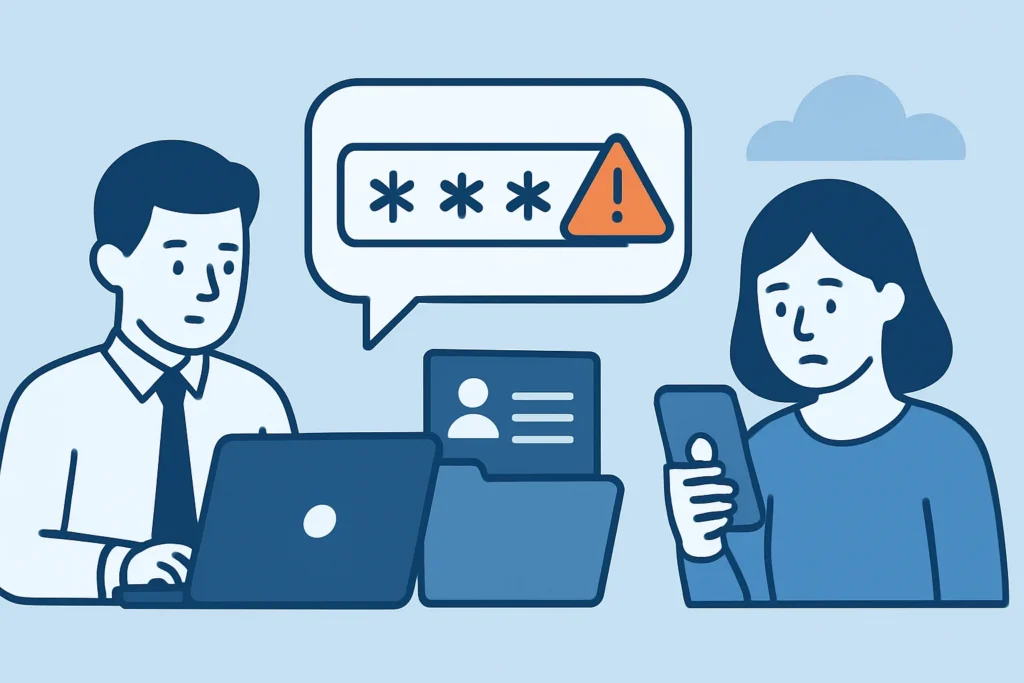
Password reuse between work and personal accounts is one of the quietest ways a corporate network gets opened from the outside. If you manage IT or security for a team, this article explains how a password leaked from a hobby forum or a shopping site ends up unlocking your VPN, why the usual defenses miss it, and what to change this quarter to close the gap.
The problem rarely looks dramatic at first. A login succeeds from a new location, nobody flags it, and three weeks later the incident response team is reconstructing how an attacker got into SharePoint without a single phishing email.
How a Personal Breach Becomes a Corporate Incident
The mechanics are simple. A consumer service gets breached – a fitness app, a gaming platform, a regional webshop. The stolen database lands on a forum, gets cracked where hashes are weak, and is merged into combolists containing hundreds of millions of email and password pairs.
Attackers then feed those pairs into automated tools that test them against Microsoft 365, Okta, Citrix gateways, and VPN portals. This is the core of credential stuffing attacks, and it works because people reuse the same password, or a slightly modified one, across contexts. Success rates per attempt are low, often well under 1-2%. Across a list of 50 million pairs, that is still a lot of working logins.
The best-known example is old but still instructive. In 2012, Dropbox confirmed that an employee had reused a password that was exposed in an earlier breach of another service, and attackers used it to reach a corporate document containing user email addresses. One reused password, one employee, one internal file. The pattern hasn’t changed since.
Why Password Reuse Is Worse Than It Looks
Reuse isn’t only an exact copy. Security teams regularly find variants like Summer2023! on a personal account and Summer2024! on the corporate one. Cracking tools such as Hashcat ship with rule sets that generate these mutations automatically – incrementing years, swapping @ for a, appending an exclamation mark. A “different” password that follows a predictable pattern offers little extra protection.
There is a second channel that gets less attention. Infostealer malware such as RedLine, Raccoon, and Lumma harvests every saved password from a browser in one go. When an employee syncs their personal Chrome profile on a work laptop, or logs into work apps from a home PC shared with a teenager who downloads game cheats, both sets of credentials leave together. The resulting stealer logs are sold within days, and analysts tracking how stealer logs flood dark web marketplaces see corporate SSO URLs in a sizable share of them.
The 2024 campaign against Snowflake customer tenants, documented by Mandiant, relied on credentials stolen by infostealers, in some cases years earlier, against accounts with no MFA enforced. Old credentials stay useful far longer than most teams assume.
Myth: MFA Makes Password Reuse Irrelevant
This is the most common misconception, and it’s dangerous because it’s half true. MFA does block most credential stuffing against properly protected logins. The problems are in the exceptions.
Legacy authentication protocols like IMAP, POP3, and SMTP AUTH have historically bypassed Conditional Access in Microsoft 365 tenants where they were left enabled. Service accounts and break-glass accounts are often exempt from MFA. Push-based MFA is vulnerable to fatigue attacks, where the attacker who already has the correct password simply spams approval requests until someone taps “Approve” at 11 pm to make it stop.
There’s also the problem of what a valid password reveals. Even when MFA blocks the login, the attacker now knows the password is current. That turns a cold phishing attempt into a targeted one: they only need the second factor, and adversary-in-the-middle kits like Evilginx are built exactly for that.
A Realistic Scenario From the SOC Queue
A mid-sized logistics company gets an alert on a Tuesday: a successful sign-in to the finance controller’s account from a residential IP in another country. MFA was satisfied – the controller approved a push notification while in a meeting, assuming it was their own laptop reconnecting.
The investigation takes four days. The password came from a 2021 breach of a recipe site where the controller had registered with their work email. The attacker spent roughly 36 hours reading invoices and vendor threads before setting up an inbox rule that forwarded anything containing “payment” to an external address. The company caught it only because a supplier called to confirm changed bank details.
An experienced SOC analyst looking back at this would point to the missed signal: the work email had appeared in a public breach dump 30 months earlier, and nobody was checking.
Steps to Reduce Reuse Risk Across the Organization
A seasoned security lead approaches this as a detection and policy problem, not a training slogan. A workable sequence looks like this:
1. Screen new and existing passwords against known breached lists, as NIST SP 800-63B recommends, using Microsoft Entra Password Protection, Okta’s breached password detection, or the k-anonymity API from Have I Been Pwned’s Pwned Passwords.
2. Monitor for your corporate email domain in breach dumps, combolists, and stealer logs, and route hits to the identity team within hours, not at the next monthly review.
3. Enforce phishing-resistant MFA – FIDO2 keys or passkeys – for admins, finance, and remote access first, and switch push notifications to number matching.
4. Block legacy authentication in every tenant and audit service accounts for MFA exemptions quarterly.
5. Provide a company-paid password manager such as 1Password or Bitwarden, with personal vaults allowed, because people only stop reusing when the alternative is easier.
When a match is found, the response matters as much as the detection. Forcing a reset is the start, and a structured approach to rotating passwords after a leak alert should also cover active sessions, OAuth grants, and mailbox rules.
Common Mistakes Security Teams Make
The first mistake is resetting the password and closing the ticket. If the attacker already logged in, they may hold a valid session token or a refresh token that survives the reset. Revoke sessions explicitly in Entra ID or Okta, then review inbox rules and app consents.
The second is enforcing 90-day rotation as a fix. NIST dropped periodic rotation recommendations in 2017 because it produces exactly the incremental patterns cracking rules exploit. Rotate on evidence of compromise, not on a calendar.
The third is only checking breach data against the corporate directory once, during an audit. Breached data surfaces continuously, and a check done in March tells you nothing about a dump published in September.
Edge Cases Worth Planning For
Teams under 10 people often have no identity provider at all, just individual SaaS logins. For them, a shared password manager plus MFA on email is worth more than any monitoring tool. In air-gapped or on-prem environments, password screening has to run locally – Entra Password Protection supports on-prem Active Directory through its DC agent. In regulated sectors such as healthcare or finance, a confirmed reuse-based compromise can trigger notification duties, so involve legal early rather than after the forensics are done.
FAQ
Can an employer see if staff reuse work passwords on personal accounts?
Not directly, and it shouldn’t try. What it can do is check whether corporate credentials appear in breach data and screen new passwords against known compromised lists, which catches reuse without touching personal accounts.
Is reusing a password with small changes safe enough?
No. Cracking tools apply predictable mutations automatically, so adding a digit or changing the year rarely slows an attacker down.
How quickly should we act when a work email shows up in a breach?
Within the same business day. Check whether the leaked password matches or resembles the current one, revoke sessions if there’s any doubt, and review recent sign-in logs for that account.
Summary
Password reuse turns someone else’s breach into your incident. MFA lowers the risk but doesn’t remove it, and periodic rotation makes things worse. The controls that actually work are screening against breached passwords, ongoing monitoring of your domain in leaked data, phishing-resistant MFA for high-value roles, and a password manager people actually want to use. If you only do one thing this month, run your user directory against current breach data and see how many hits you get.