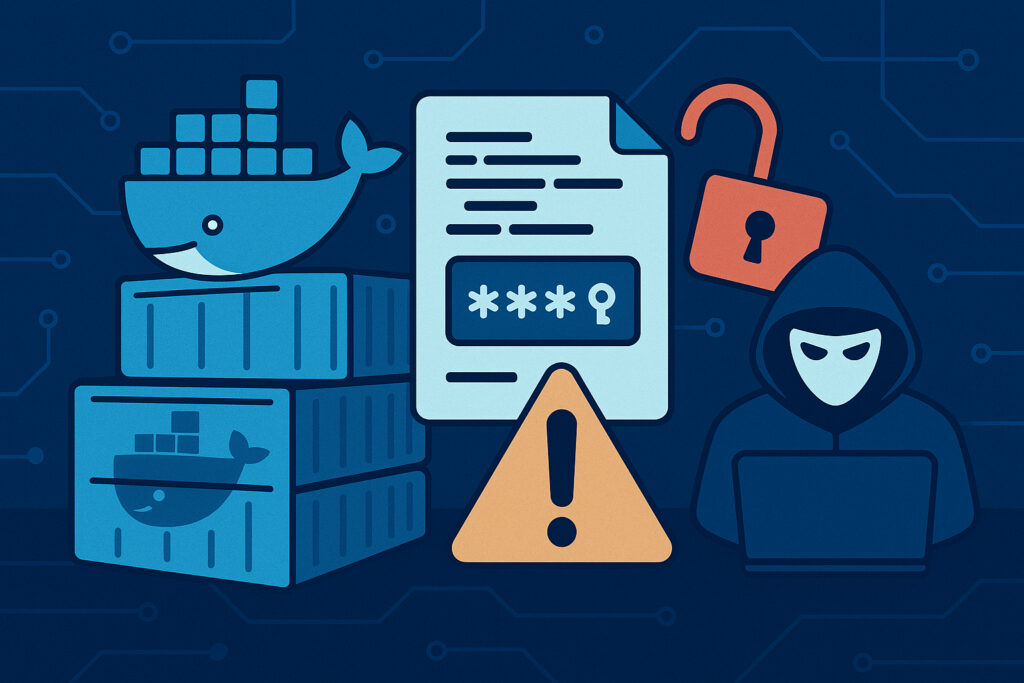
If you’re deploying applications with Docker, there’s a good chance you’ve accidentally baked a secret into an image at some point. An API key in an environment variable, a database password in a config file, maybe even an SSH private key that ”was only supposed to be there temporarily.” It happens more often than anyone wants to admit, and the consequences can be severe.
This article is for developers, DevOps engineers, and anyone responsible for container infrastructure. We’ll walk through how secrets end up in Docker images, why they’re so hard to get rid of once they’re there, and what you can practically do about it.
How Secrets End Up in Docker Images
The most common scenario is deceptively simple. You’re building a Dockerfile, and you need to pull something from a private repository or connect to a service during the build process. So you copy in a credentials file or pass a token as a build argument. The build works, the image runs, and you move on.
The problem is that Docker images are built in layers. Every COPY, RUN, and ADD instruction creates a new layer, and those layers are persistent. Even if you delete a secret file in a later step, the layer where you added it still exists in the image history. Anyone who pulls the image can inspect those layers and extract whatever was there.
I’ve seen this first-hand more times than I’d like to recall. A few years back, while auditing a client’s infrastructure, I found AWS access keys sitting in a publicly available image on Docker Hub. The keys had been ”removed” in the Dockerfile with a RUN rm command, but of course they were still right there in an earlier layer. The credentials had been exposed for weeks before anyone noticed. That’s the kind of thing that keeps you up at night.
Why This Is a Bigger Problem Than You Think
Public registries like Docker Hub host millions of images, and researchers have repeatedly found that a significant percentage of them contain embedded secrets. We’re talking about database credentials, cloud provider keys, internal API tokens, TLS certificates, and more.
But it’s not just public registries. Private registries can also be a risk if access controls aren’t properly configured. And within organizations, images often get shared between teams without anyone thinking to audit what’s inside them.
There’s a common myth that if an image is private, the secrets inside it are safe. That’s simply not true. A compromised CI/CD pipeline, a misconfigured registry, or even a disgruntled employee can expose those secrets. The principle should always be: if a secret is in an image, treat it as compromised.
Step-by-Step: How to Check Your Images for Leaked Secrets
Here’s what you can do right now to assess your exposure.
1. Inspect image history. Run docker history –no-trunc your-image to see every layer and the commands that created them. Look for any references to passwords, tokens, keys, or sensitive file paths.
2. Use automated scanning tools. Tools like Trivy, Dockle, and ggshield can scan images for embedded secrets and known vulnerabilities. Integrate these into your CI/CD pipeline so every image gets checked before it’s pushed to a registry.
3. Audit your Dockerfiles. Search for ARG and ENV instructions that pass sensitive values. Check for COPY commands that bring in config files, .env files, or key files.
4. Check your registries. Review who has access to your private registries and whether any images have been made public accidentally. This is more common than people realize, especially in organizations where multiple teams manage their own repositories.
How to Keep Secrets Out of Images
Prevention is always better than detection. Here are practical approaches that actually work in production environments.
Use multi-stage builds. This is probably the single most effective technique. You do your building in one stage where secrets might be needed, and then copy only the final artifacts into a clean runtime stage. The secrets never make it into the final image.
Use Docker BuildKit secrets. BuildKit introduced the –mount=type=secret option, which lets you mount a secret during build without it ever being written to a layer. This is exactly what it was designed for, and yet I still see many teams not using it.
Never use ENV or ARG for secrets. Build arguments are visible in the image history. Environment variables persist in the image metadata. Neither is safe for sensitive data.
Use a secrets manager at runtime. Tools like HashiCorp Vault, AWS Secrets Manager, or even Docker Swarm’s built-in secrets feature let your containers retrieve secrets at startup rather than having them embedded in the image.
Continuous Monitoring Is Not Optional
Scanning your images once isn’t enough. New vulnerabilities and exposure vectors appear constantly. Your CI/CD pipeline should scan every image on every build, and you should also periodically re-scan images already in production.
This is where automated monitoring becomes critical. Services like LeakVigil continuously watch for your organization’s sensitive data appearing in public and semi-public sources, including container registries. Rather than relying on manual audits, automated monitoring catches exposures early, often before any real damage is done.
Frequently Asked Questions
Can I just delete the secret and rebuild the image? Rebuilding helps, but if the old image was ever pushed to a registry, those layers may still be cached or pulled by others. You need to rotate the exposed credentials, not just fix the image.
Are base images safe? Not necessarily. Even official base images can contain outdated packages with known vulnerabilities. Always scan your base images and keep them updated.
What about Docker Compose files? These often contain hardcoded credentials too. The same principles apply: use environment variable references pointing to a secrets manager, never commit secrets to version control.
Is this really that common? Yes. Academic studies have found secrets in a notable portion of publicly available Docker images. If large organizations make this mistake, smaller teams without dedicated security resources are even more at risk.
Final Thoughts
Docker has transformed how we build and deploy software, but the convenience comes with real security responsibilities. Secrets in container images are one of the most preventable yet most common security issues in modern infrastructure. The fix isn’t complicated, but it does require discipline: use multi-stage builds, leverage BuildKit secrets, scan everything automatically, and monitor continuously for leaks.
The worst data breaches usually don’t come from sophisticated attacks. They come from simple oversights that nobody caught in time. Don’t let a forgotten API key in a Docker layer be yours.