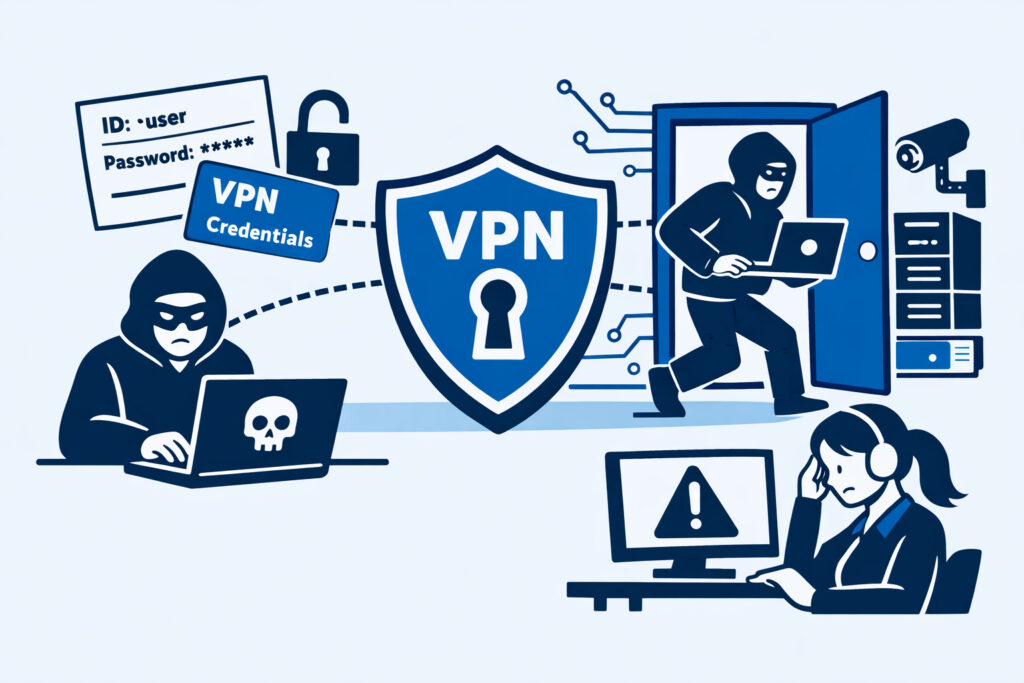
If you manage IT security for any organization that uses a VPN — and nearly every organization does — leaked VPN credentials are one of the most dangerous threats you’ll face. A single compromised username-password pair can hand an attacker the same network access your employees have, bypassing firewalls, perimeter defenses, and network segmentation in one step. This article explains how VPN credentials get leaked, why the damage spreads so fast, and exactly what your team should do to detect and respond to this type of exposure.
Why VPN Credentials Are a High-Value Target
Think about what a VPN connection actually grants. It’s not access to one application or one service — it’s a tunnel straight into your internal network. An attacker with working VPN credentials doesn’t need to find a software vulnerability or craft a sophisticated exploit. They just log in.
Most VPN setups authenticate against Active Directory or LDAP. That means a leaked VPN credential is often the same password the employee uses for email, file shares, internal tools, and sometimes even admin panels. Attackers know this, which is why stolen corporate credentials are actively traded and monetized across dark web marketplaces and Telegram channels.
The real-world pattern is painfully consistent. An employee reuses their corporate password on a third-party service. That service gets breached. The credential ends up in a dump. Within days — sometimes hours — someone tests it against the company’s VPN endpoint. If MFA isn’t enforced, they’re in.
How VPN Credentials End Up Exposed
There’s a myth that credential leaks only happen through dramatic, large-scale breaches. In reality, VPN credentials leak through mundane, everyday mistakes:
Infostealer malware. This is the number one source right now. An employee installs a cracked application or clicks a malicious link. The infostealer silently harvests saved browser passwords, cookies, and VPN client configurations, then uploads everything to a command-and-control server. Within hours, that data appears on dark web markets — neatly sorted by company domain.
Third-party breaches. Employees reuse passwords across personal and corporate accounts. When a consumer service gets breached, attackers run those credentials against corporate VPN endpoints using automated tools. It’s fast and effective.
Phishing campaigns. Targeted phishing pages that mimic your VPN login portal capture credentials in real time. Some even relay them through a proxy to bypass one-time MFA codes.
Accidental exposure. Configuration files containing VPN credentials end up in public repositories, shared documents, or support tickets. It happens more often than security teams want to admit.
The Damage Timeline: Faster Than You Think
Here’s a scenario any incident response professional would recognize. On a Monday, an infostealer log containing 200 corporate credentials — including VPN accounts — appears on a Russian-language marketplace. By Tuesday afternoon, a buyer has tested 30 of those credentials against the company’s VPN gateway. Four work. By Wednesday morning, the attacker has mapped the internal network, identified a domain controller, and escalated privileges using a known vulnerability that was “scheduled for next quarter’s patching cycle.”
The entire window between credential exposure and full network compromise was roughly 48 hours. The company didn’t discover the breach for another 11 days — when ransomware deployed across their file servers.
This is why speed of detection matters enormously. If you’re relying on annual penetration tests or quarterly audits to catch credential exposure, you’re operating on a timeline that attackers exploit with ease. Continuous dark web monitoring compresses that detection window from weeks to hours.
Immediate Steps When VPN Credentials Are Found Leaked
When you discover — or are alerted — that VPN credentials from your organization have appeared in a leak, move fast and follow a clear sequence.
Step 1: Force password resets. Immediately reset passwords for every affected account. Don’t notify users first and wait for them to act — reset the credentials centrally and then inform them. Every minute an exposed credential remains active is a minute an attacker can use it.
Step 2: Check VPN logs. Review authentication logs for the affected accounts. Look for logins from unexpected geolocations, connections at unusual hours, or sessions from IP ranges associated with VPN providers and hosting services. Attackers rarely connect from residential ISPs.
Step 3: Revoke active sessions. A password reset alone doesn’t terminate an existing VPN session in many configurations. Explicitly kill all active sessions for compromised accounts.
Step 4: Audit lateral movement. If any suspicious VPN sessions are found, assume the attacker explored the network. Check for new user accounts, changes to group memberships, access to sensitive file shares, and unusual outbound traffic patterns.
Step 5: Enforce MFA. If MFA wasn’t already mandatory on your VPN, this is the moment to implement it. If it was enabled but optional, make it required — no exceptions.
Having a documented incident response playbook for data leak discoveries makes the difference between a controlled response and panicked improvisation.
Prevention: Reducing Your Exposure Surface
You can’t prevent every credential leak — employees will reuse passwords, and third-party breaches will keep happening. But you can dramatically reduce the risk.
Mandatory MFA on all VPN access. This is non-negotiable in 2025. Hardware tokens or authenticator apps — not SMS, which is vulnerable to SIM swapping.
Certificate-based authentication. Where possible, move beyond passwords entirely. Client certificates tied to managed devices ensure that even a leaked password is useless without the device itself.
Network segmentation behind the VPN. Don’t let a VPN connection equal full network access. Segment so that VPN users only reach what their role requires. A compromised marketing account shouldn’t be able to touch database servers.
Continuous credential monitoring. Automated monitoring across dark web marketplaces, paste sites, infostealer logs, and credential dumps is the only practical way to catch exposures early. If your company email domain appears in a credential dump, you need to know about it within hours, not weeks.
Busting the “We Have MFA, We’re Safe” Myth
One of the most dangerous misconceptions is that MFA makes leaked VPN credentials a non-issue. MFA raises the bar significantly — but it’s not bulletproof. Adversary-in-the-middle phishing kits like EvilGinx capture session tokens after MFA is completed. MFA fatigue attacks bombard users with push notifications until they approve one. And some legacy VPN configurations don’t enforce MFA on all connection methods.
MFA is essential, but it’s a layer — not a solution by itself. Continuous monitoring for leaked credentials remains critical even with MFA in place.
Frequently Asked Questions
How quickly do attackers use leaked VPN credentials after they appear online?
Automated credential-testing tools can begin probing your VPN endpoint within hours of credentials appearing in a dump or marketplace listing. In many observed incidents, the first unauthorized login attempt occurs within 24 to 48 hours of the leak being posted. This is why real-time alerting is essential — waiting even a few days can mean the difference between a near-miss and a full compromise.
Can leaked VPN credentials be dangerous even if the employee has left the company?
Absolutely. If offboarding procedures don’t include immediate deactivation of VPN accounts, former employee credentials that appear in a breach are just as exploitable as current ones. Attackers don’t check employment status — they check whether the login works. Regular audits of active VPN accounts against your HR records are a basic but often neglected control.
What data sources should we monitor for leaked VPN credentials?
Effective monitoring covers dark web marketplaces, hacker forums, paste sites, infostealer log repositories, Telegram channels, and public code repositories. No single source is sufficient — credentials surface across all of these channels, often at different times. An automated monitoring service that covers multiple sources simultaneously gives you the broadest early warning.
A final practical point: your VPN endpoint is visible to the entire internet. Its address is easy to find, and testing credentials against it is trivial. The only real defense is knowing your credentials are compromised before an attacker puts them to use. Automated, continuous leak monitoring is what closes that gap.