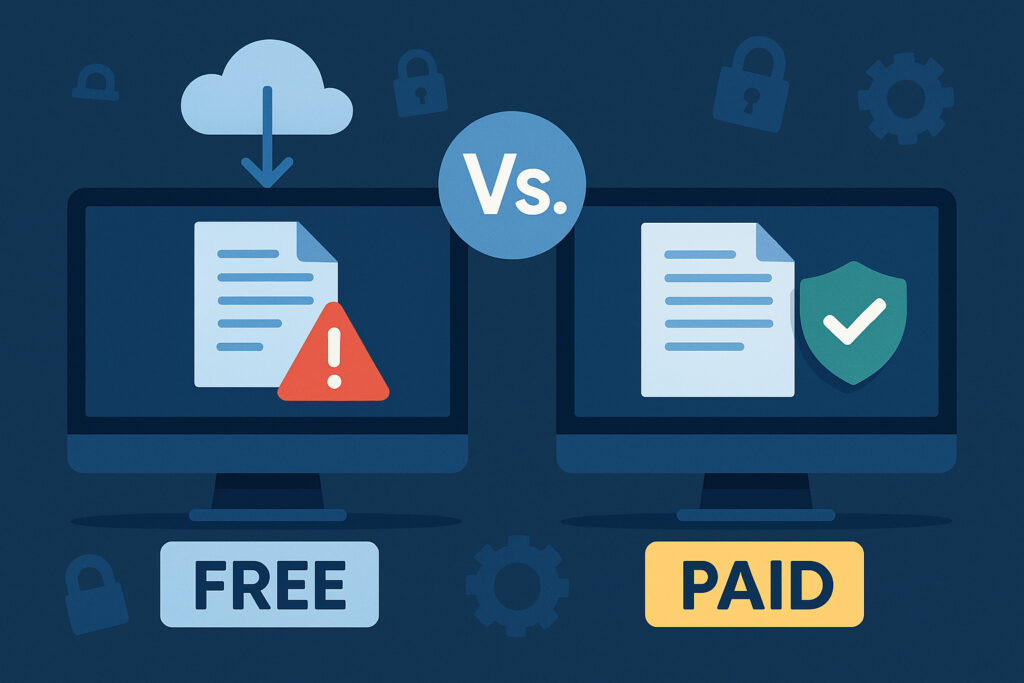
If you’re running a business online, you’ve probably wondered whether those free data leak monitoring tools are enough, or if you should actually pay for proper monitoring. I’ve tested both approaches with multiple sites, and the answer isn’t as straightforward as you might think. It really depends on what you’re protecting and how much risk you can tolerate.
What Free Tools Actually Give You
Free data leak monitoring typically covers the basics. Services like Have I Been Pwned let you check if your email address appears in known breaches. You’ll get notifications when a major breach happens that includes your credentials. Some password managers include basic breach monitoring for the accounts you’ve stored.
The problem? You’re always reacting after the fact. By the time a breach makes it to public databases that free tools monitor, your data has already been circulating for weeks or even months. I learned this the hard way when one of my client accounts showed up in a credential dump two months after the actual breach occurred. The damage was already done.
Free tools also have limited scope. They monitor public breach databases, but they won’t scan paste sites, dark web forums, or closed communities where leaked data often appears first. You’re basically getting notified about breaches that everyone already knows about.
When Free Monitoring Is Actually Enough
For personal use or very small businesses, free tools can work fine. If you’re mainly worried about whether your personal email or passwords have been compromised in major public breaches, Have I Been Pwned does that job well. Set it up, enable notifications, and you’ll at least know when something big happens.
I still use free tools for my personal accounts. They’re perfect for that baseline awareness without any cost. But for anything business-critical, the limitations become obvious pretty quickly.
What Paid Services Bring to the Table
Paid monitoring services operate on a different level entirely. They actively scan multiple sources simultaneously, not just public breach databases. This includes monitoring paste sites like Pastebin, dark web marketplaces, forums, Telegram channels, and GitHub repositories where sensitive data often leaks before making headlines.
The real value comes from speed and breadth. When credentials leak, they usually appear in underground forums or paste sites first. Professional monitoring catches these early signals, sometimes days or weeks before the breach becomes public knowledge. That early warning window can be the difference between containing a problem and dealing with a full-blown security incident.
I’ve seen cases where paid monitoring detected leaked API keys within hours of them being posted to a public GitHub repository. The company was able to rotate those keys before anyone exploited them. A free tool would never have caught that.
The Middle Ground: What You Actually Need
Here’s what I’ve found works in practice. Start by identifying your most critical assets. For most businesses, that means:
Your domain and associated email addresses. Your employee credentials, especially for anyone with admin access. API keys and access tokens. Customer data if you handle it. Proprietary code or internal documents.
Once you know what needs protection, match it to the right monitoring level. Personal email addresses and basic password monitoring? Free tools are fine. Business domains, employee credentials, or anything involving customer data? You need paid monitoring that covers more than just public databases.
Common Myths About Data Leak Monitoring
There’s this idea that if you haven’t been breached yet, you don’t need monitoring. That’s backwards thinking. Monitoring is about early detection, not just confirming what you already know happened. By the time you notice suspicious activity, leaked credentials have usually been exploited already.
Another myth: “We’re too small to be targeted.” Small businesses often have weaker security, making them easier targets. Attackers don’t discriminate based on company size when credentials leak.
Some people think monitoring is only about passwords. Modern leaks include API keys, database credentials, internal documents, source code, and customer information. Comprehensive monitoring needs to cover all of these.
Making the Decision
Ask yourself these questions. How quickly would you need to know if your data leaked? What’s the potential damage from a breach? Can you manually check multiple sources daily? Do you handle customer data or sensitive business information?
If you need rapid detection, can’t afford prolonged exposure, and don’t have time for manual monitoring, paid services make sense. For a small online shop handling customer payments, the cost of monitoring is negligible compared to the potential liability of a data breach.
For a personal blog with no sensitive data, free tools provide adequate coverage. The key is honest assessment of your actual risk.
Frequently Asked Questions
How often should monitoring run? Continuous monitoring is ideal. Data can leak at any time, and delays increase exposure. Daily checks are the minimum for business use.
Can I combine free and paid tools? Absolutely. Use free tools for personal accounts and paid services for business-critical assets. Layer your security rather than relying on one solution.
What happens when a leak is detected? Good monitoring services notify you immediately with details about what leaked and where it was found. Your response should include changing credentials, assessing exposure, and investigating how the leak occurred.
Is dark web monitoring really necessary? If you handle sensitive business or customer data, yes. The dark web is where serious breaches get traded before becoming public knowledge.
The bottom line: free monitoring gives you basic awareness for personal use. Paid monitoring provides the speed, breadth, and proactive detection that businesses actually need. Choose based on what you’re protecting, not just what sounds good enough.